

GWang110177 (Community Member) asked a question.
Why can't I import SCA issues into Jira after integrating Veracode with Jira?
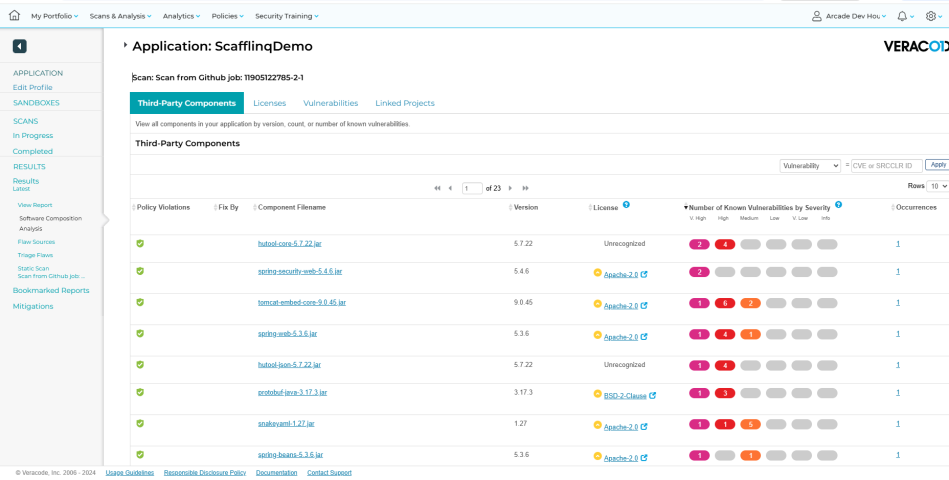
In the Jira -> Veracode Integration -> Selective Import panel, I can only see the Triage Flaws list, but there are no SCA issues. Even stranger is that I see 41 defects in the Veracode panel, but only 39 in Jira, as Jira is ignoring defects with IDs 25 and 35.
.png)

Hi @GWang110177 (Community Member) , is this an agent based scan or an upload scan?
Agent based scans need to be linked to the app profiles to populate into the correct place to have JIRA create issues for it.
Hi @SamHouston (Veracode) ,
I using github action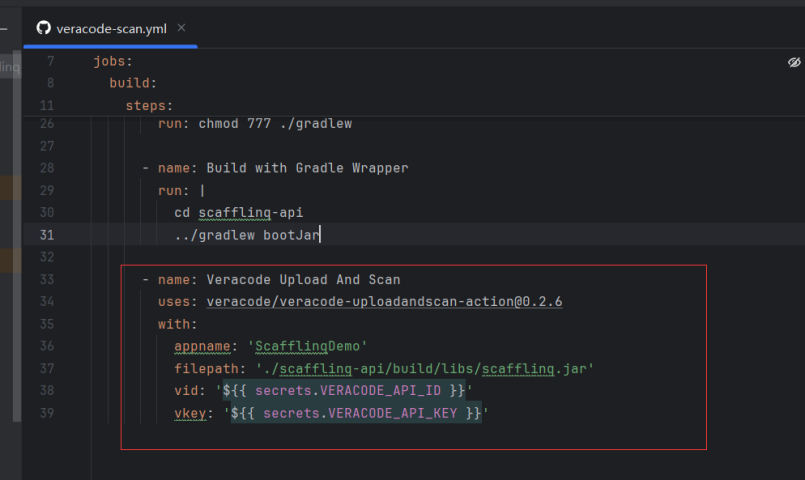
Have you looked at our Documentation for JIRA imports? https://docs.veracode.com/r/t_jira_cloud_auto_finding_import
The docs site describes three ways to import findings using our JIRA integration
I'm also checking with some colleagues to see if they have any advice 🙂
Yes, I have checked this document, but I still cannot import the SCA issue into Jira. Could you take a look at my jira settings? Is there any problem?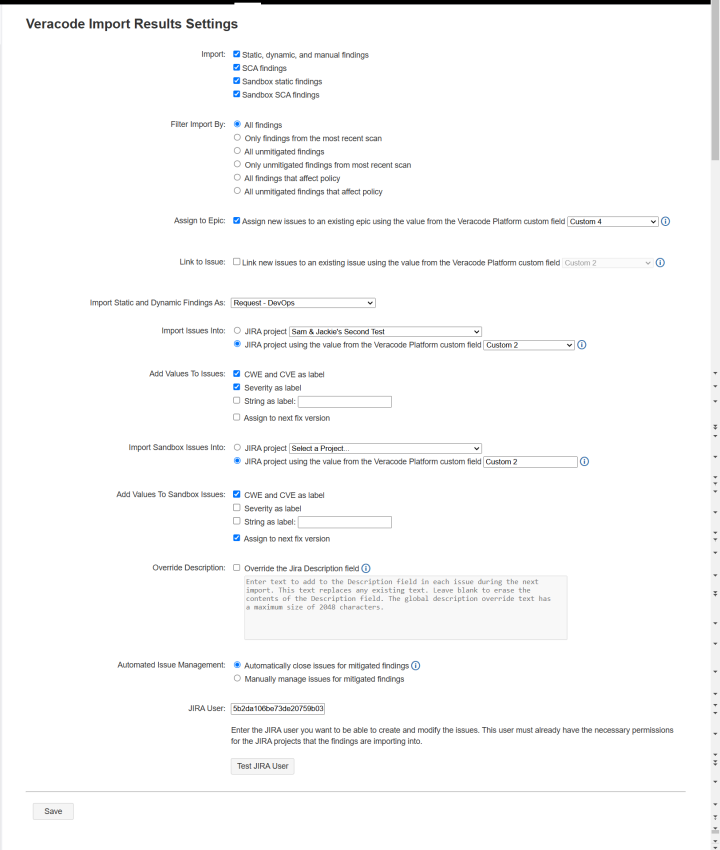
@GWang110177 (Community Member) Hi there! Unfortunately Im not familiar enough with JIRA settings to know what may cause this issue. Please contact our Support by filing a Case: https://community.veracode.com/s/contact-support